
Download SnapaShot – Free, Lightweight Screen Capture Tool for Windows & Mac
SnapaShot is a compact, portable screen capture utility designed for fast and efficient screenshot creation. With a minimal interface and no installation required, this tool lets you capture full or partial screens with precision. Ideal for quick sharing, documentation, or content creation, SnapaShot runs directly from an EXE file—perfect for USB drives or temporary use.
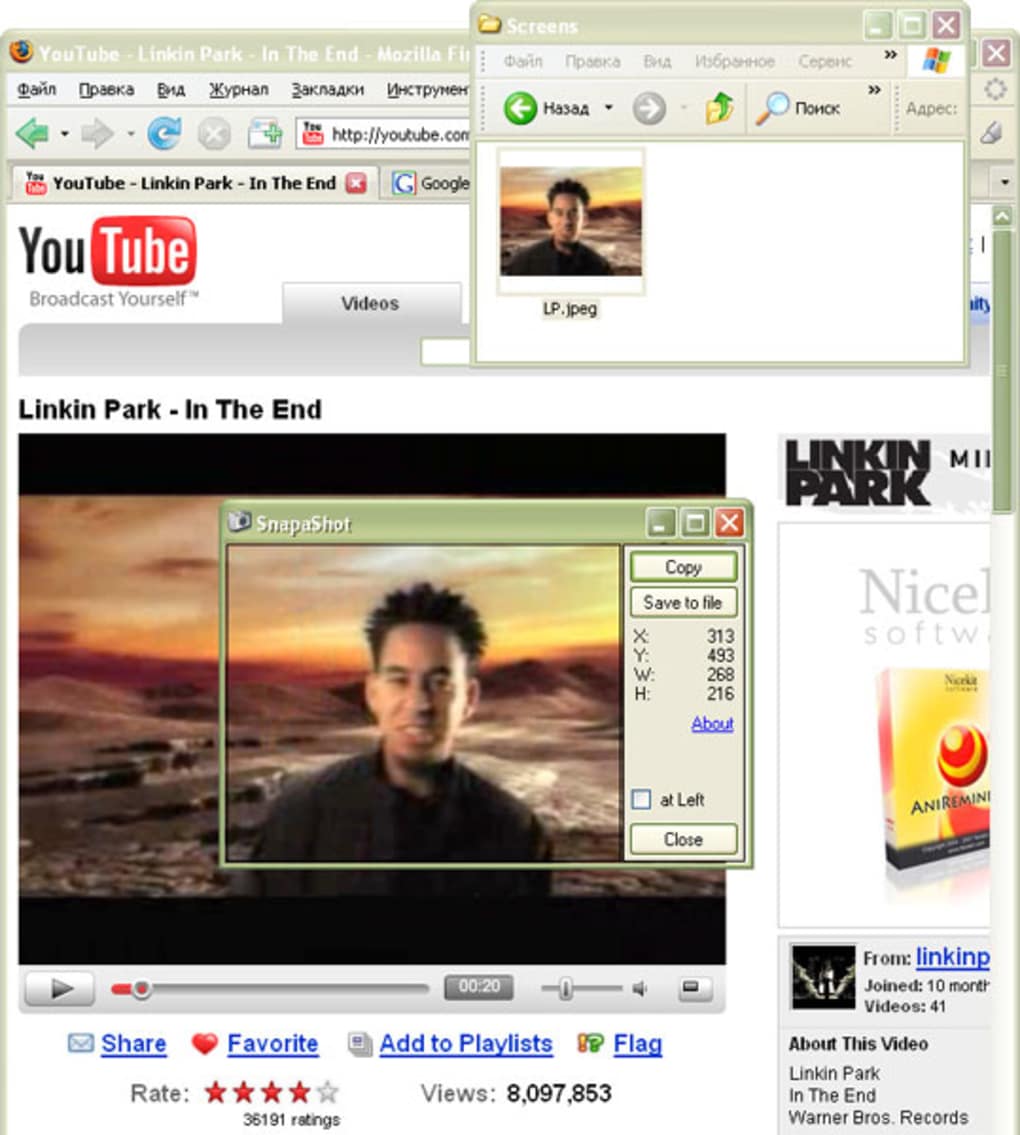
Its transparent overlay allows you to resize and reposition the capture frame with ease, ensuring accurate selection. Once captured, you can save directly to file or copy to clipboard. While the free version offers core functionality, upgrading unlocks advanced editing and export options.
Whether you're a student, professional, or casual user, SnapaShot delivers speed, simplicity, and reliability.
Effortless Screen Capture with a Minimalist Interface
SnapaShot stands out in the crowded field of screen capture tools due to its elegant simplicity. Unlike bulky software that demands hours of setup and configuration, this lightweight utility starts instantly—no installation, no background processes, no clutter. Simply download the 64KB EXE file, run it, and you’re ready to capture.
The interface is a transparent overlay that floats over your screen, allowing you to drag and resize it with intuitive edge handles. This design eliminates the need for complex menus or hotkeys during the capture process. You can stretch the frame to cover the entire screen or focus on a specific area—perfect for isolating a button, text block, or app window.
What makes SnapaShot truly efficient is its “snap” mechanism. As you move the frame across the screen, it automatically aligns with edges and corners, reducing the chance of misalignment. This feature is especially useful when capturing UI elements that require pixel-perfect accuracy.
Once you’ve positioned the frame, a single click captures the selected region. The tool then offers immediate options: copy to clipboard or save directly to your preferred folder. This seamless workflow ensures that you spend less time adjusting and more time sharing or documenting.
For users who value privacy and security, SnapaShot’s portability is a major advantage. Since it doesn’t install anything or write to the registry, your system remains untouched. You can carry it on a USB drive and use it on any Windows machine without leaving traces.
This makes it ideal for workstations, school labs, or shared devices where you don’t have admin rights. Its minimal footprint also means it uses almost no system resources—perfect for older or low-spec machines. Whether you’re creating tutorials, reporting bugs, or sharing quick updates, SnapaShot delivers speed and precision without compromise.
Portable & Cross-Platform Compatibility: Run Anywhere
One of the most compelling features of SnapaShot is its portability. Unlike traditional software that requires installation and leaves behind files, SnapaShot runs directly from the executable file. This means you can download it, run it, and use it immediately—no setup, no dependencies. This is particularly beneficial for users who frequently switch between devices or need a temporary screenshot tool. Simply copy the EXE file to a USB stick, flash drive, or cloud folder, and you can use it on any Windows PC with minimal hassle.
While SnapaShot is currently optimized for Windows, its lightweight nature makes it compatible with a wide range of systems, including older versions like Windows 7 and Windows 10. It doesn’t require .NET Framework or other runtime libraries, so you won’t encounter compatibility errors. The tool supports both high-DPI displays and multiple monitors, ensuring consistent performance across different setups. For Mac users, while there’s no native version yet, similar lightweight tools are available, but SnapaShot remains a top choice for Windows environments.
Additionally, SnapaShot is fully compatible with Android and iOS devices when used in conjunction with remote desktop tools or screen mirroring apps. For example, you can use it on a Windows laptop to capture screenshots of a mirrored iPhone or Android screen. This flexibility makes it a versatile addition to your digital toolkit. Whether you’re troubleshooting a device, creating a tutorial video, or documenting a workflow, SnapaShot adapts to your needs. Its ability to run from a USB drive also makes it ideal for IT professionals, educators, and remote workers who need a reliable, secure tool that doesn’t require admin access.
Features, Pros, and Cons: A Balanced Look
- Lightweight & Portable: Only 64KB in size, runs from EXE without installation.
- Transparent Overlay: Easily resize and reposition the capture frame with edge handles.
- Fast Capture: Instant capture with no lag or delay.
- Clipboard & File Export: Save directly to file or copy to clipboard.
- Multi-Monitor Support: Works seamlessly across multiple displays.
- High-DPI Ready: Clear visuals on high-resolution screens.
- No System Impact: Minimal CPU and memory usage.
Pros
- Extremely small file size (64KB)
- No installation required – runs from USB
- Intuitive transparent frame for precise selection
- Fast, responsive performance on all systems
- Perfect for temporary or shared devices
- Secure and private – no data stored or sent
Cons
- Limited editing features in free version
- No native Mac, Android, or iOS support
- Basic export options – no advanced formatting
- Only supports Windows platforms
- Minimal customization for captured images
Frequently Asked Questions (FAQ)
Is SnapaShot free to download and use?
Yes, SnapaShot is completely free to download and use. The basic version offers full functionality for capturing and saving screenshots. While the free version has limited editing options, it’s ideal for quick, no-frills screen captures. Upgrades to the full version unlock advanced features like image effects, batch processing, and enhanced export formats.
Can I run SnapaShot from a USB drive?
Absolutely. SnapaShot is designed to be portable. You can copy the EXE file to any USB drive and run it directly from there on any Windows PC without installing anything. This makes it perfect for use on public computers, school labs, or shared workstations.
Does SnapaShot support Mac or Linux?
Currently, SnapaShot is only available for Windows. There is no native version for Mac or Linux. However, users on those platforms can explore similar lightweight tools or use remote desktop solutions to capture screens via a Windows machine.
Can I edit screenshots after capturing them?
The free version allows basic saving and clipboard sharing. For advanced editing—such as adding arrows, text, or filters—you’ll need to upgrade to the full version. The paid upgrade includes a built-in editor with more customization options.
Is SnapaShot secure and safe to use?
Yes, SnapaShot is safe and secure. It doesn’t collect any user data, doesn’t require admin rights, and doesn’t install anything on your system. Since it runs from a single EXE file, there’s no risk of malware or unwanted changes to your system settings.
Final Verdict: A Must-Have for Quick Screenshots
SnapaShot is a standout in the world of lightweight screen capture tools. Its combination of portability, speed, and simplicity makes it ideal for anyone who needs to capture screen content quickly and securely. Whether you’re a student documenting a lecture, a professional sharing a bug report, or a content creator preparing visuals, SnapaShot delivers exactly what you need—without the bloat.
While the free version is limited in editing capabilities, the core capture function is flawless. The ability to run from a USB stick and use it on any Windows machine without installation is a game-changer for temporary or restricted environments. If you’re tired of heavy software that slows down your system, SnapaShot offers a refreshing alternative.
For users seeking a reliable, secure, and fast screen capture tool, SnapaShot is an excellent choice. Download it today and experience the power of minimalism in software.
Download SnapaShot now and take control of your screen captures—fast, free, and secure.







